

How to Run KaraKEYoke on Apple Mac OS
For Casio Keyboards first install Mac Driver: http://code.google.com/p/casiousbmididriver/
Download KaraKEYoke.
Install WineBottler and run it.
Select "Create Custom Prefixes".
At "Install File" -> select KaraKEYoke.exe:
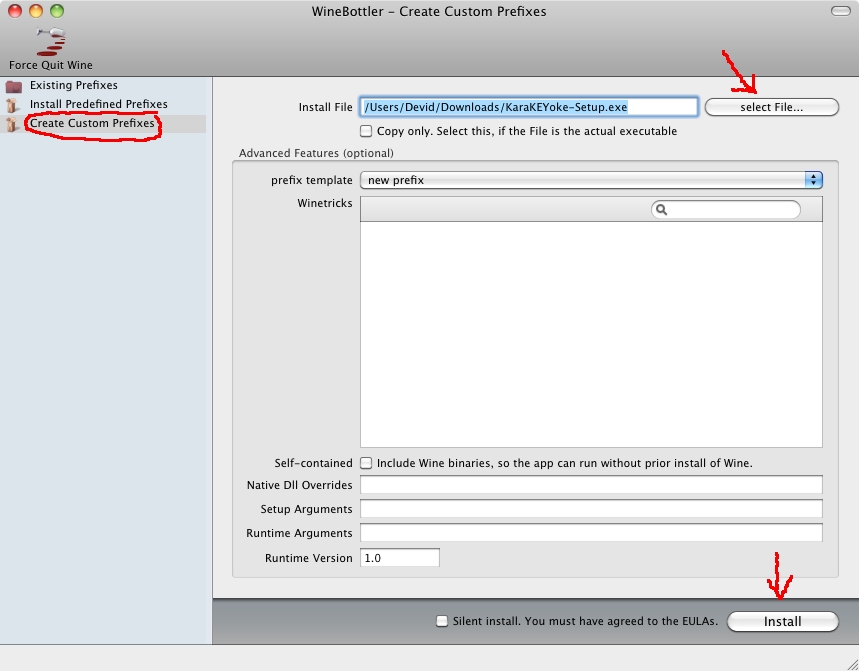
Click "Install".
Save As: KaraKEYoke and select a Folder, you wish to create the prefix.
Click "Save" and wait WineBottler finished the installation.
Connect your Keyboard to an USB-Port an power up.
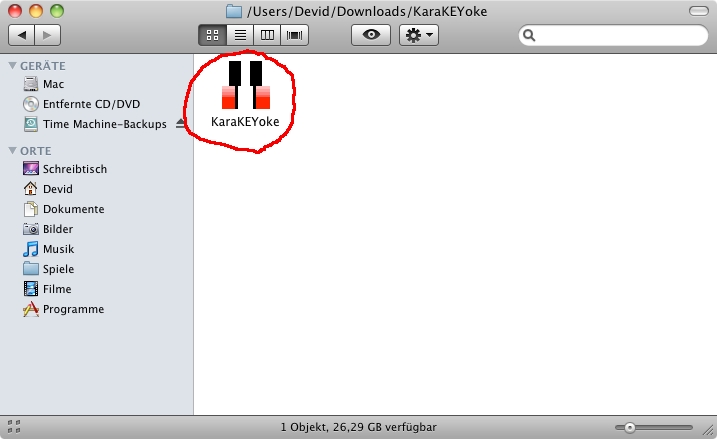
Start your created KaraKEYoke.app:
You can try WineHQ if you face any problems with WineBottler.
Thank Devid Gockel for providing this guide. It was tested with Mac OSx 10.6.8 (Snow Leopard).